01
Open PopLingo
Keep the floating bubble ready while you read, watch, play, or chat.
Popup lookup for Android
PopLingo floats over manga, subtitles, games, and chats. It is Japanese-first, supports every language, and keeps lookup right where you are.
Best for
On-screen reading
Workflow
Hover, check, continue
Languages
All supported
How it works
PopLingo is built for the moment you almost understand a line. Hover, check the word, and keep going without leaving the app.
Keep the floating bubble ready while you read, watch, play, or chat.
Move it over Japanese text on the screen. No copy-paste loop, no screenshot folder.
Check the reading, meaning, and details, then go straight back to the sentence.
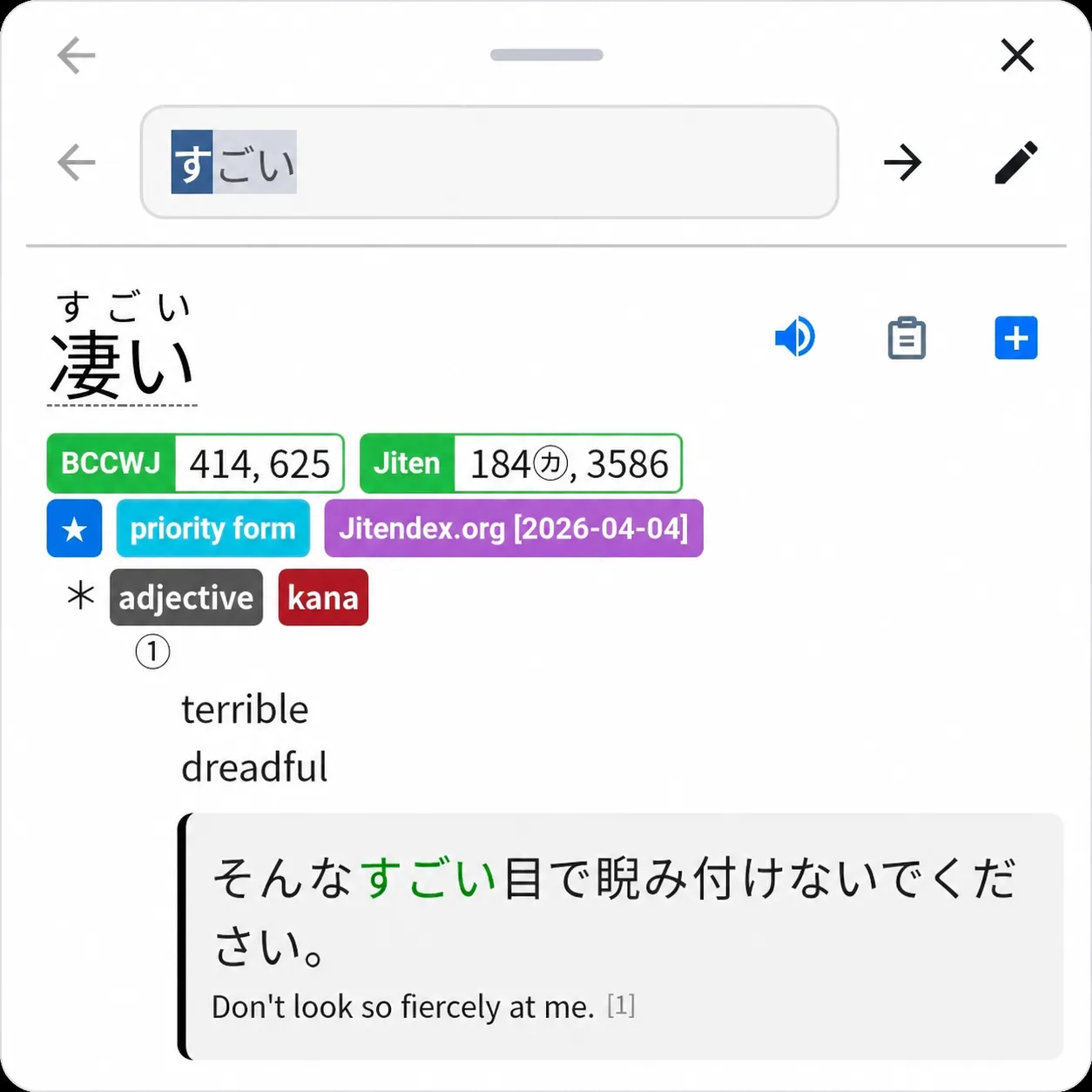
Dictionary popup
Definitions, readings, context, and study details sit in one readable popup. Japanese gets the deepest spotlight, but the lookup flow works for any language on screen.
Use cases
Manga bubbles, subtitle lines, game dialogue, and messages all lose momentum when you switch apps. PopLingo keeps lookup inside the moment.
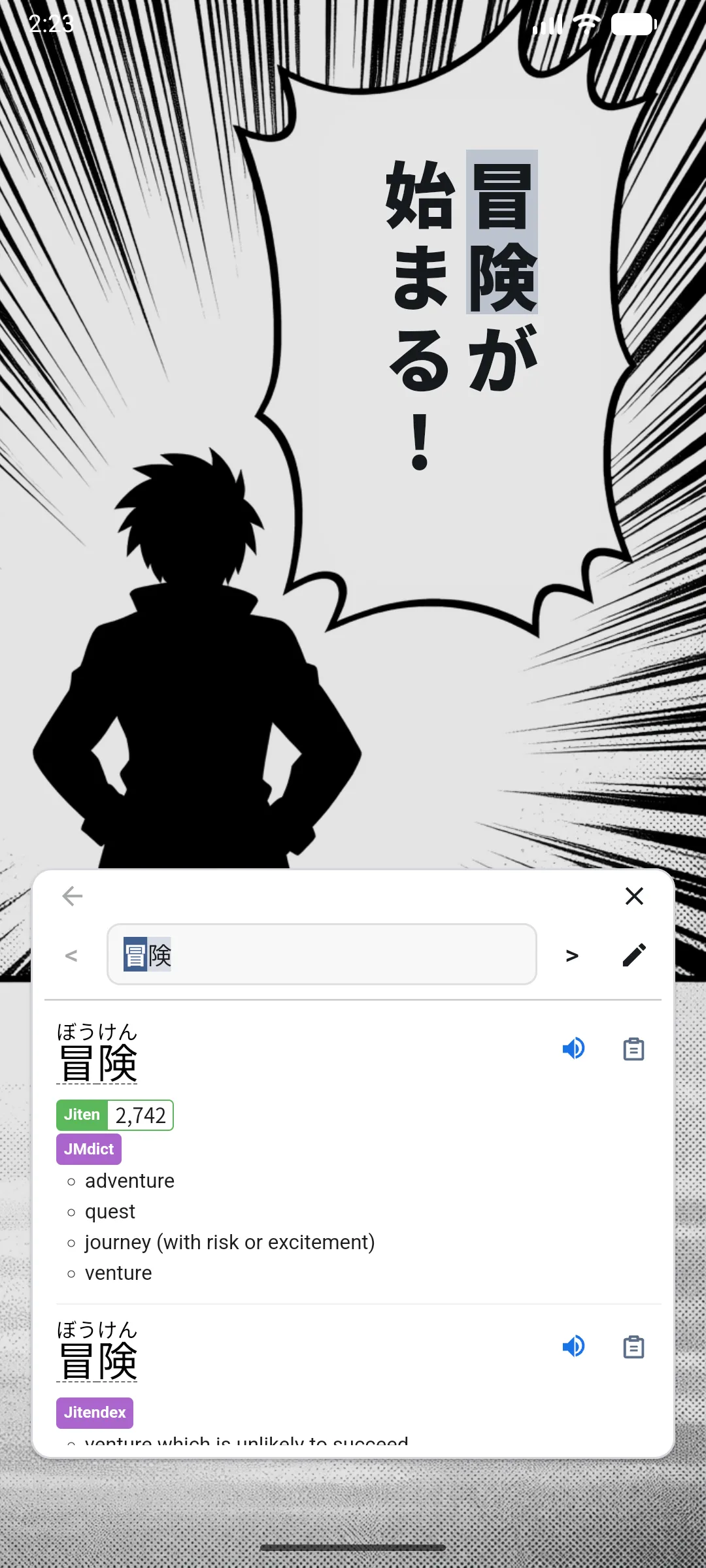
Look up vertical Japanese text without leaving the panel or breaking the page flow.
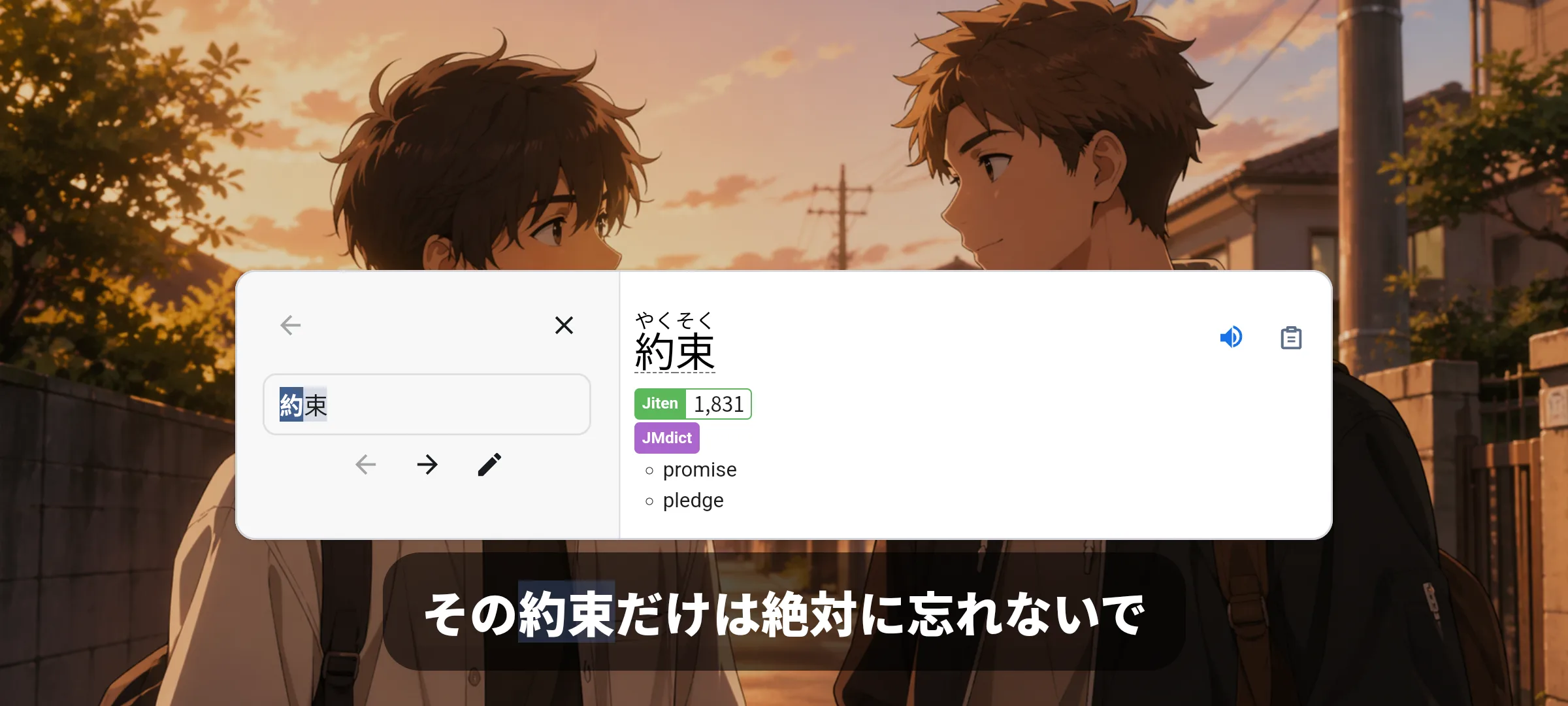
Pause on a line, hover the text, and keep the scene in front of you.
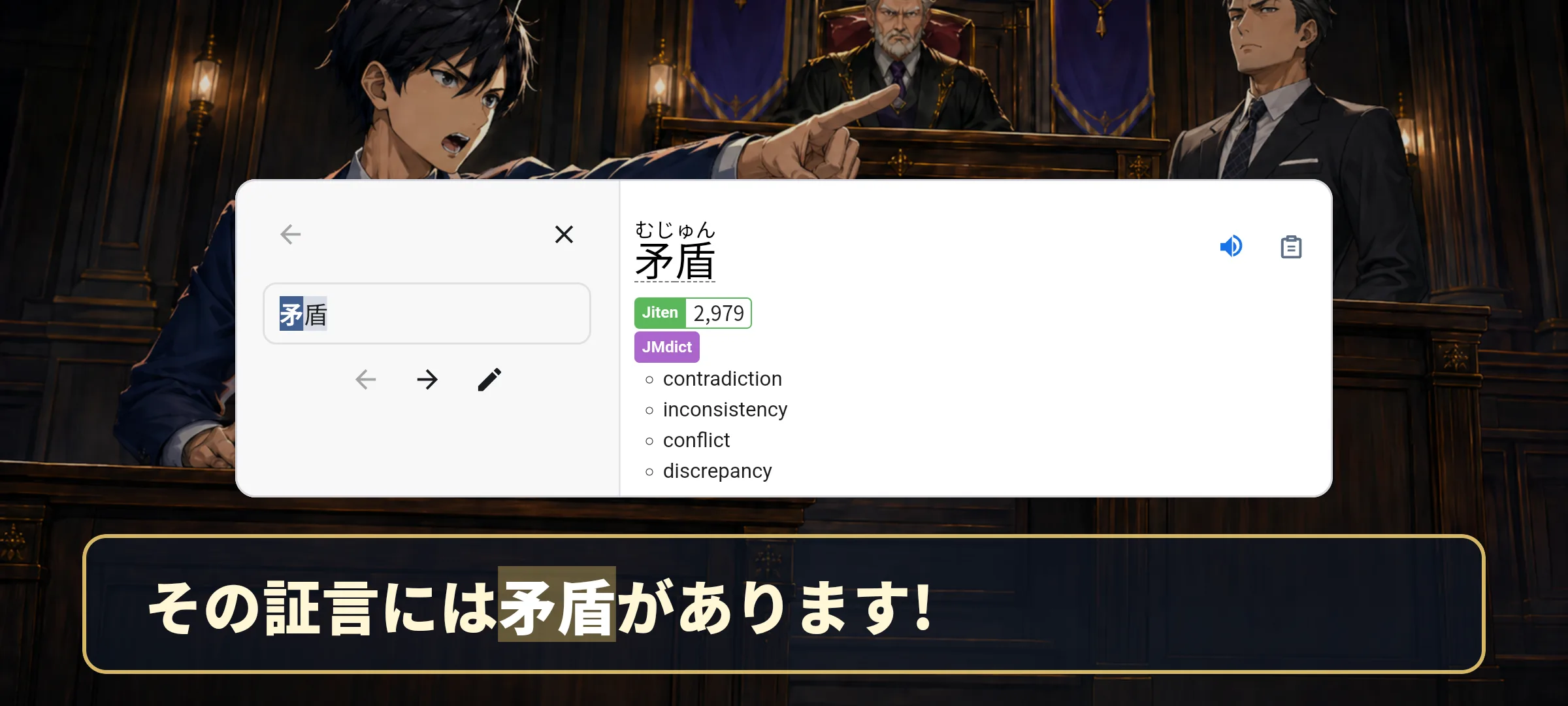
Handle dialogue in place, even when the text is part of the game screen.
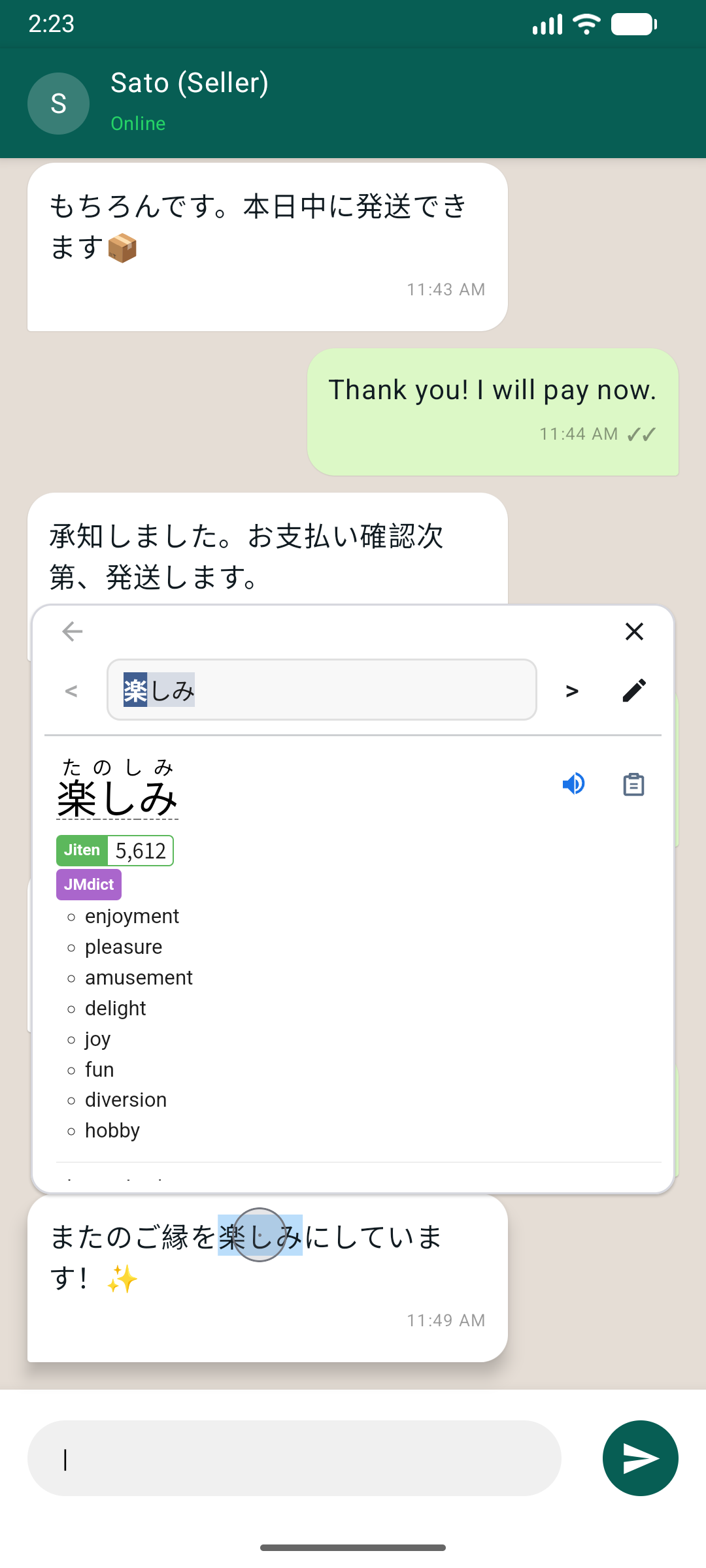
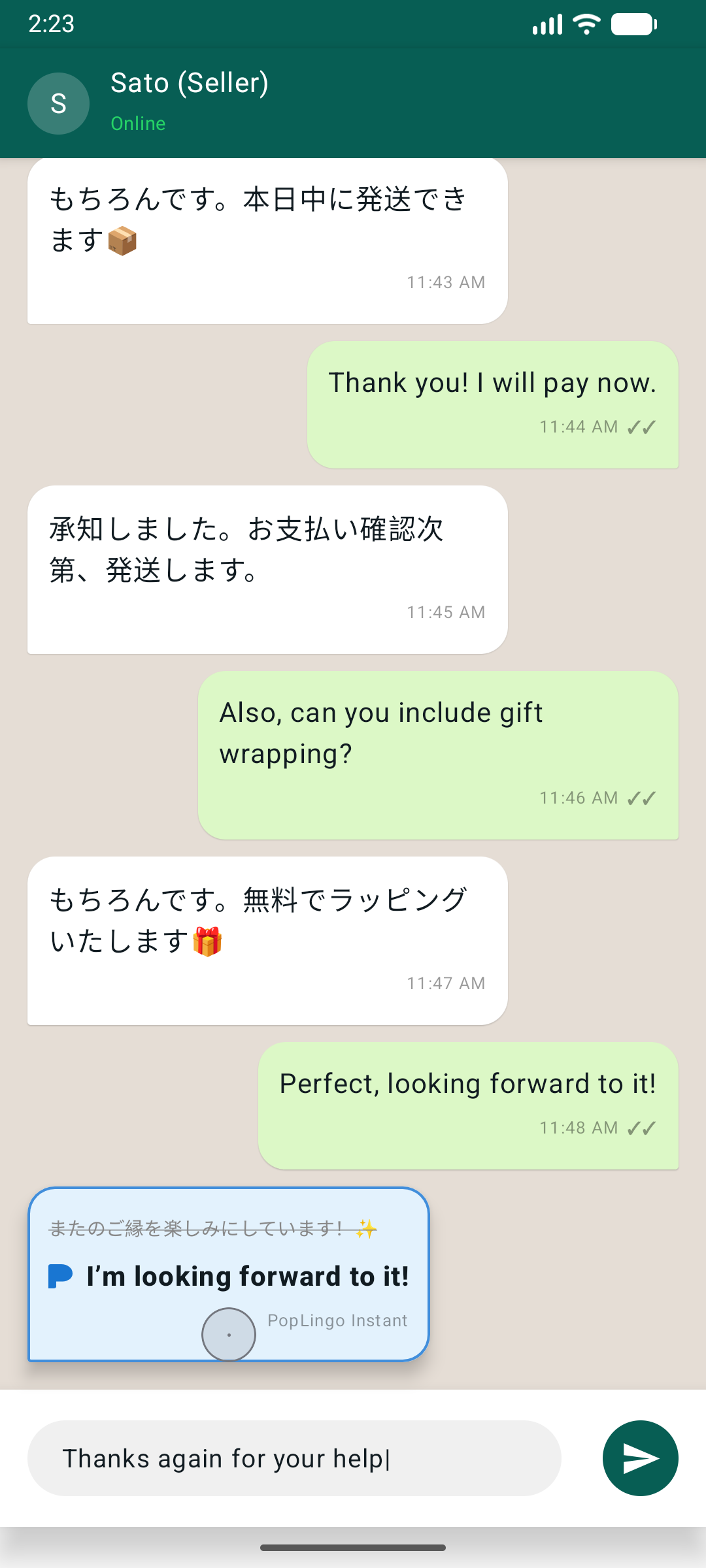
Check words in messages across any language while the conversation stays on screen.
Yomitan on Android
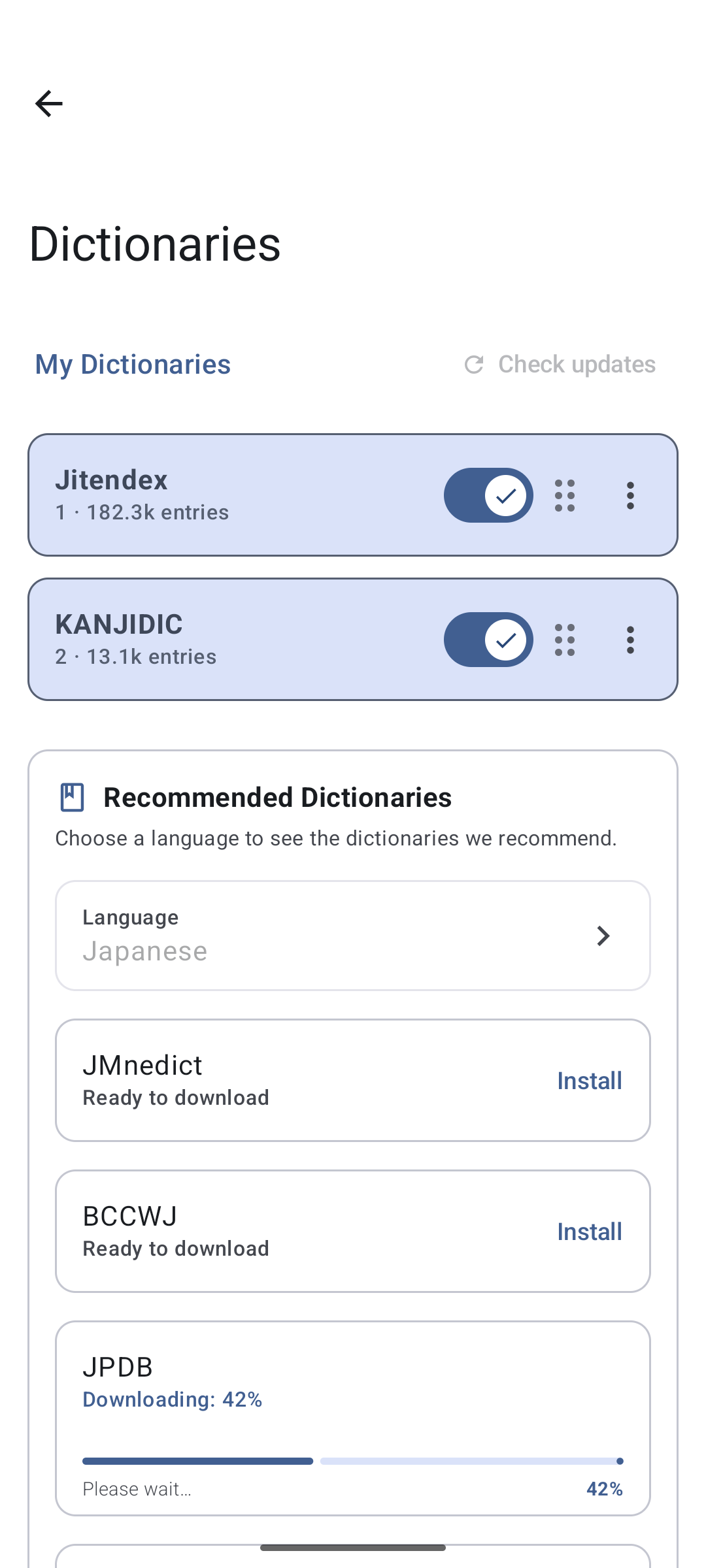
PopLingo supports lookup across all languages, with especially common workflows for Japanese, Chinese, Korean, English, Spanish, German, and French. For Japanese study, you can also bring Yomitan-format dictionaries to Android.
Privacy and permissions
PopLingo asks for the permissions needed to power floating lookup. The app is built for reading, not for feeds, ads, or tracking.
Install the app, set up dictionaries, and start reading without making a profile.
Overlay and OCR permissions exist for lookup, not for feeds, ads, or engagement tracking.
The privacy policy states that PopLingo does not use tracking cookies, ads, or analytics SDKs.
Overlay and OCR access are there to make the popup work across apps. For the complete version, read the plain-language privacy policy.
Open privacy policyFAQ
PopLingo is not the Yomitan browser extension. It brings a similar dictionary workflow to Android with screen OCR and custom Yomitan-format dictionaries.
No. The main workflow is hover lookup: move the floating bubble over text and read the result in place.
No. Japanese is the most common use case, but PopLingo supports all languages. Popular choices include Japanese, Chinese, Korean, English, Spanish, German, and French.
Yes. PopLingo supports Yomitan-format dictionaries, so you can bring the resources you already use to Android.
PopLingo is free to download on Google Play and does not require an account to start.

Free on Google Play
Use PopLingo for manga, subtitles, games, chats, and lookup across any language on screen.
Download for Android